
FOR HOME BREWERS
A more considered approach to every brew.
GRISTORA is brewing software for homebrewers who want to understand the ingredients, calculations and observations behind each batch.
Explore the homebrewing workflow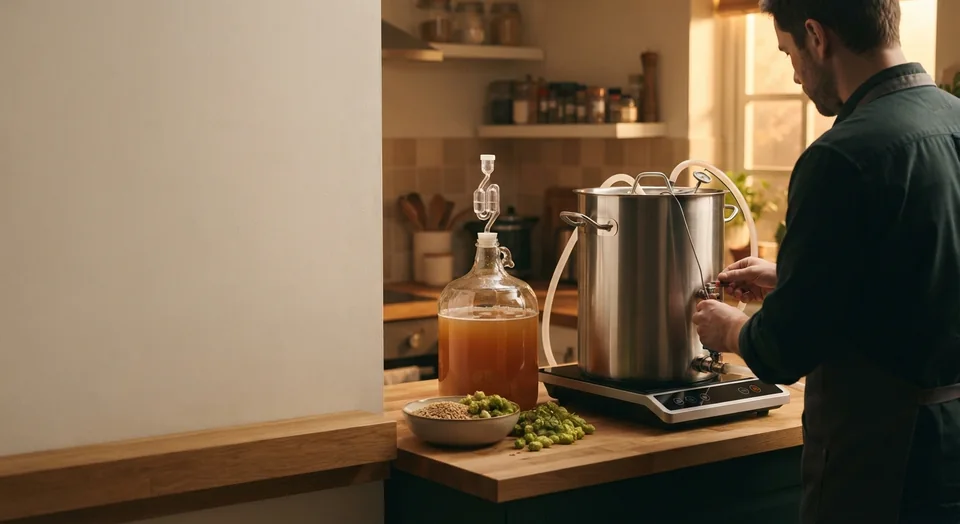
THE HOMEBREWING WORKFLOW
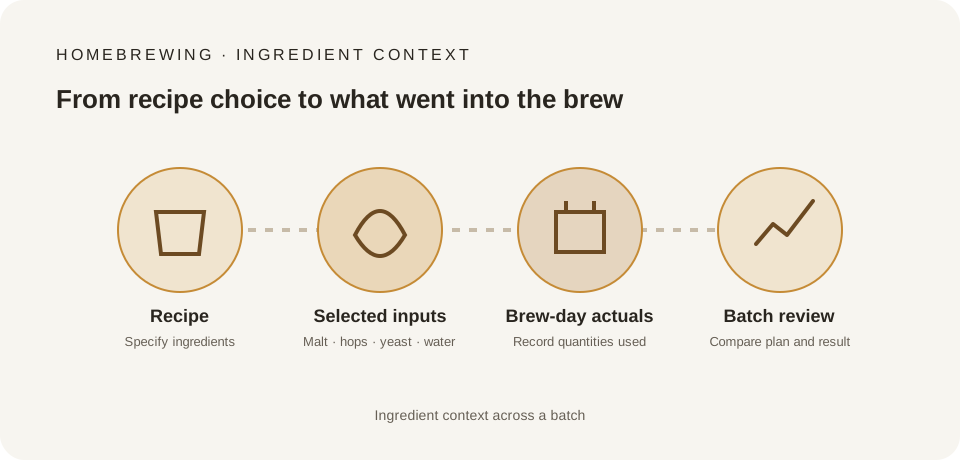
A brew is a series of connected decisions.
Follow the work from recipe idea to batch review.
- 01
Shape the recipe
What are you trying to brew?
Start with the style, ingredients, equipment and batch size that define your recipe. Keep the choices and their context together.
Recipe design & management - 02
Understand ingredients and water
What is going into the batch?
Bring fermentables, hops, yeast, water assumptions and mash choices into the same recipe picture.
Water, mash & yeast - 03
Make sense of the numbers
How do the estimates relate to your recipe?
Brewing calculations use explicit inputs, units, methods and assumptions.
Brewing calculations - 04
Record brew day
What actually happened?
The workflow separates recipe targets from actual quantities, times, temperatures and measurements recorded during the brew.
Brew day & production records - 05
Follow fermentation
What are you observing over time?
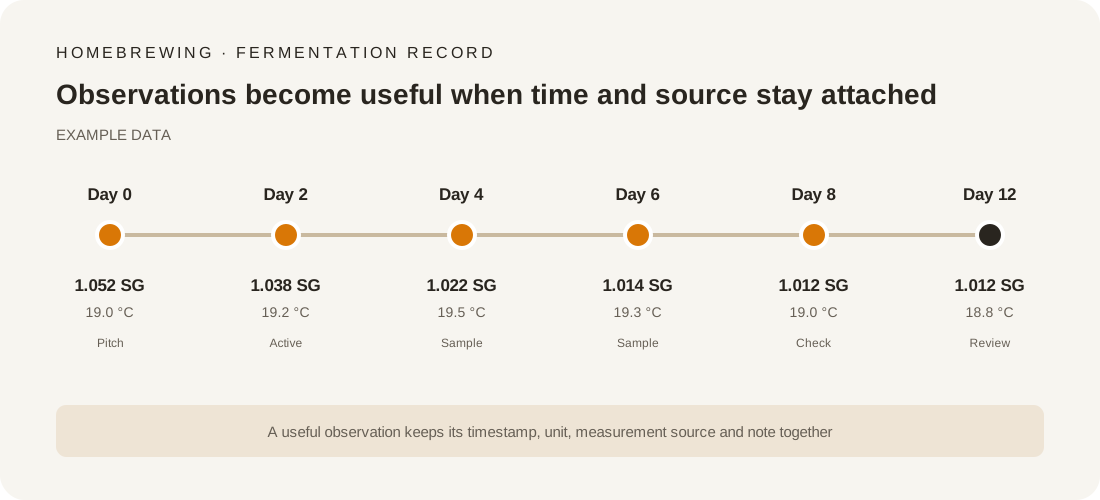
Batch timelines hold manual or connected readings.
Fermentation & batch tracking - 06
Review the batch
What would you carry into the next brew?
Bring measurements, recipe context and tasting notes together to understand differences between batches.
Reports, insights & sustainability
THE HOME BREW RECORD LOOP
Keep the story of your brew together.
For a homebrewer, useful history starts with the recipe and continues through the measurements and decisions made along the way.
| Part of the brew | What belongs in the record | What it helps you understand |
|---|---|---|
| Recipe and targets | Recipe version, style, batch size, equipment assumptions and target values. | Which plan you started from, and what you intended to make. |
| Ingredients and water | Ingredient choices, quantities, source-water information and selected adjustments. | Which inputs shaped the recipe and its calculated expectations. |
| Brew-day actuals | Measured volumes, temperatures, times, additions and differences from the plan. | Where the real brew differed from the recipe assumptions. |
| Fermentation observations | Manual or supported-device gravity and temperature readings, with their source identified. | How the batch changed over time. |
| Tasting and review | Packaging context, tasting notes and a comparison with the original targets. | What you learned and what you may choose to change next time. |
The Homebrew path is centred on an individual brewer's recipe, measurements and learning loop. Professional lot traceability, vessel occupancy, shift handover and quality-release workflows belong to Business mode.
PRODUCT AREAS
Explore the work behind the brew.
Every capability is described with its intended audience.
TECHNICAL CLARITY
Understand the number, not just the result.
A calculation or technical guide explains its method, inputs, units, assumptions, worked example and limitations together.
Each calculation shows its method, inputs and units.
Read about brewing calculationsHOME BREWER FAQ
Clear answers for curious brewers.
Which brewing calculations are supported?
GRISTORA supports gravity, alcohol, bitterness, colour, mash and volume calculations, with explicit inputs, units and methods.
Can I connect a fermentation device?
GRISTORA supports Tilt hydrometers, iSpindel and RAPT devices, plus a webhook data endpoint for TiltBridge, Pitch and compatible bridges.
Can I import or export my existing recipes?
GRISTORA imports and exports BeerXML and BeerJSON, and imports BeerSmith .bsmx, Brewfather and Brewer's Friend recipes.
CHOOSE YOUR PLAN
Find the right brewing workspace.
Compare the Homebrewer and Professional Brewery paths, then configure a plan step by step.
View plans & pricing Compare functions